Ring up the day you'll be debt-free.
Type what you owe and watch your date ring up. Then Payday Payoff plans every paycheck until you get there.
example · now type yours
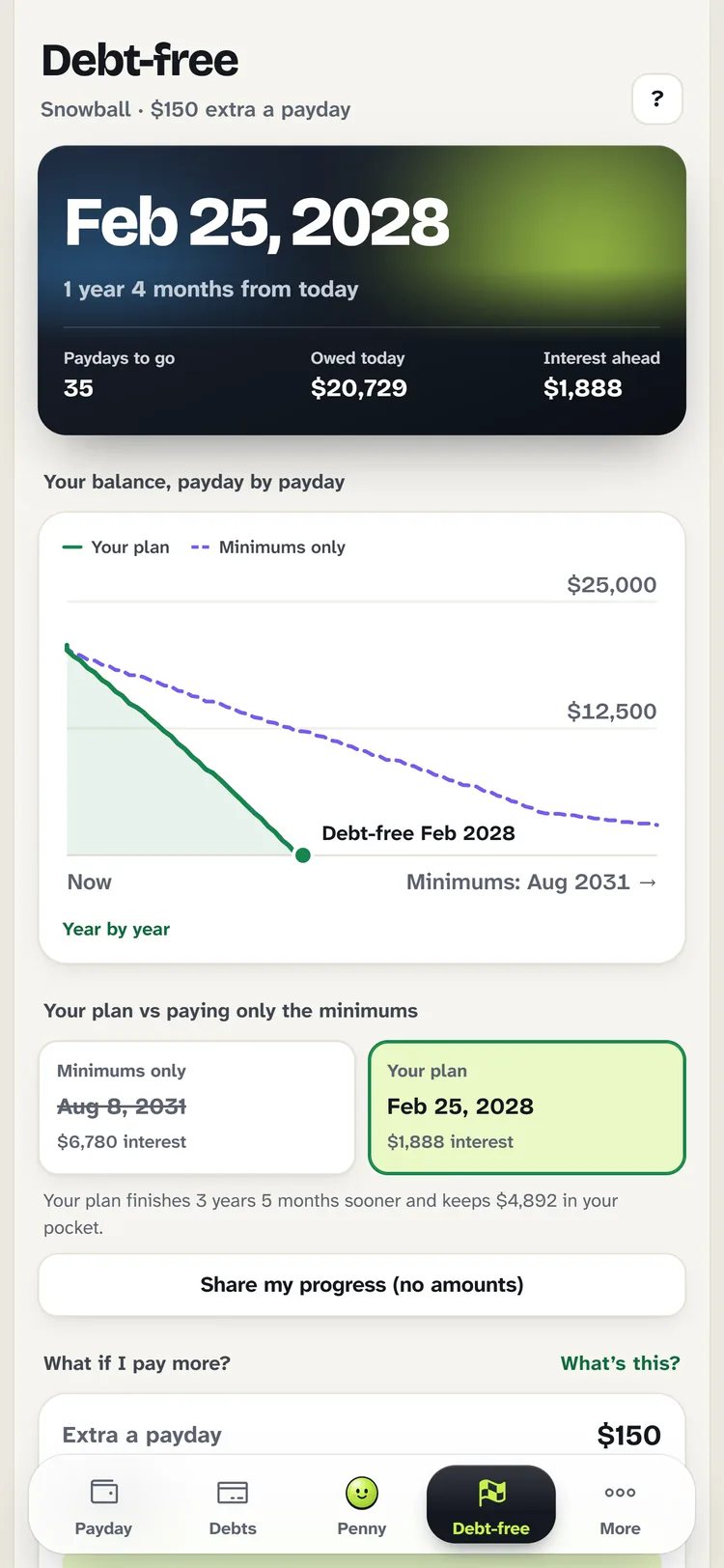
Paying only the minimum, you’d finish in Aug 2031. Your way, you’re free 3 years sooner and keep $4,000 of interest.
One payment, no subscription, no bank login. 14-day money-back promise.
What’s eating your paycheck?
Your bank app shows what’s left. It never shows what’s eating it.
You open it, see the balance, wince and close it. Meanwhile the same small charges chew through every paycheck: the delivery order, the coffee run, the subscription nobody watches.
None of them feels big. Together, they’re why payday never seems to stretch.
Halve just one of them and this family is debt-free weeks sooner.
One ordinary month
Example family statement
- DoorDash ×4$117.60
- Starbucks ×12$93.44
- Amazon ×5$239.10
Eaten without a plan$646
Penny finds these in your own statement, on your phone.
Every paycheck, split before you spend it.
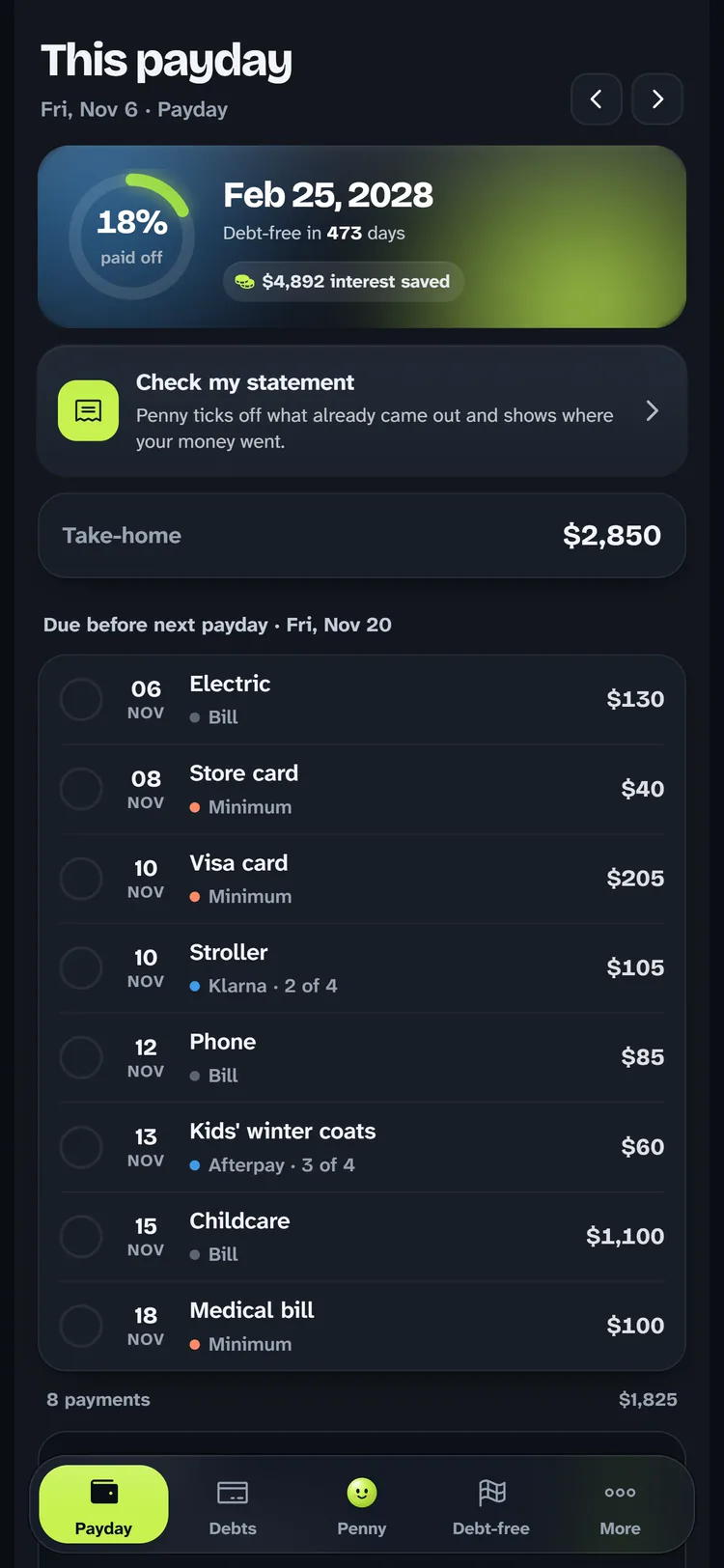
Rent, childcare, cards and Klarna land on the paycheck that has to cover them. The extra goes to one debt at a time. What’s left is yours, and you know it to the dollar.
The example family, paid every two weeks. Your own numbers stay on your phone.
-
Tell it when you get paid.
Every two weeks, twice a month, weekly or monthly.
-
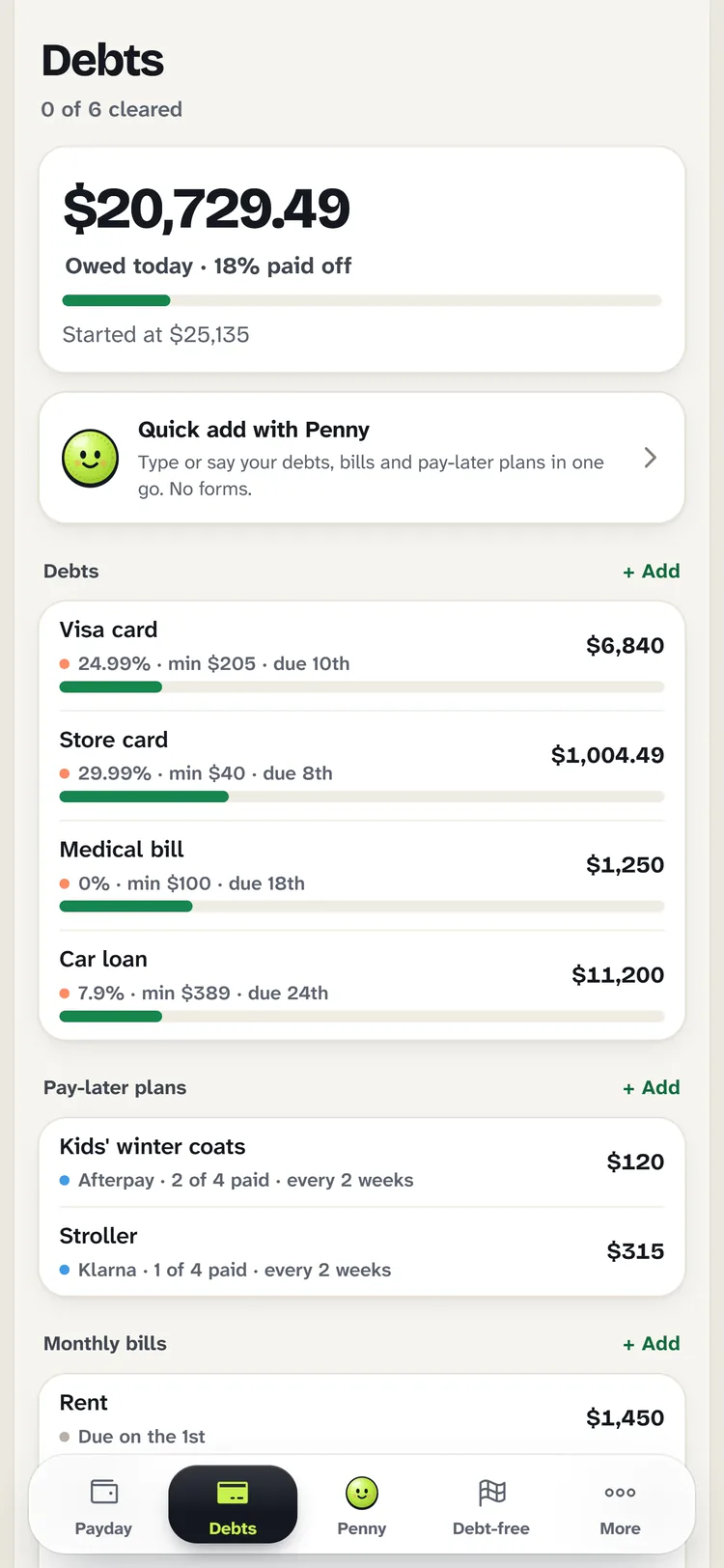
Add what you owe.
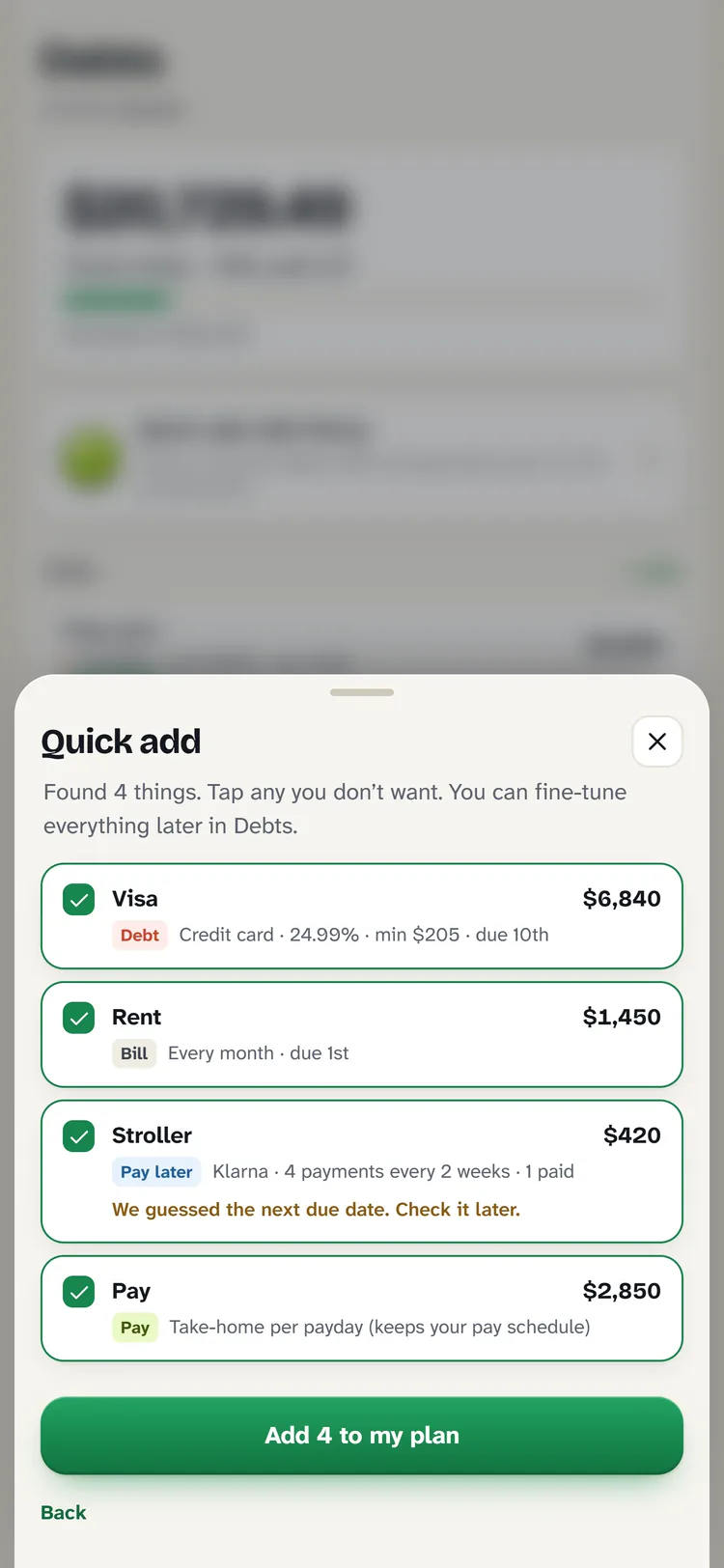
Cards, car loan, medical bills, Klarna. Or type it all in one sentence and Penny sorts it.
-
Tick it off as you pay.
About a minute every payday, and your date moves closer.
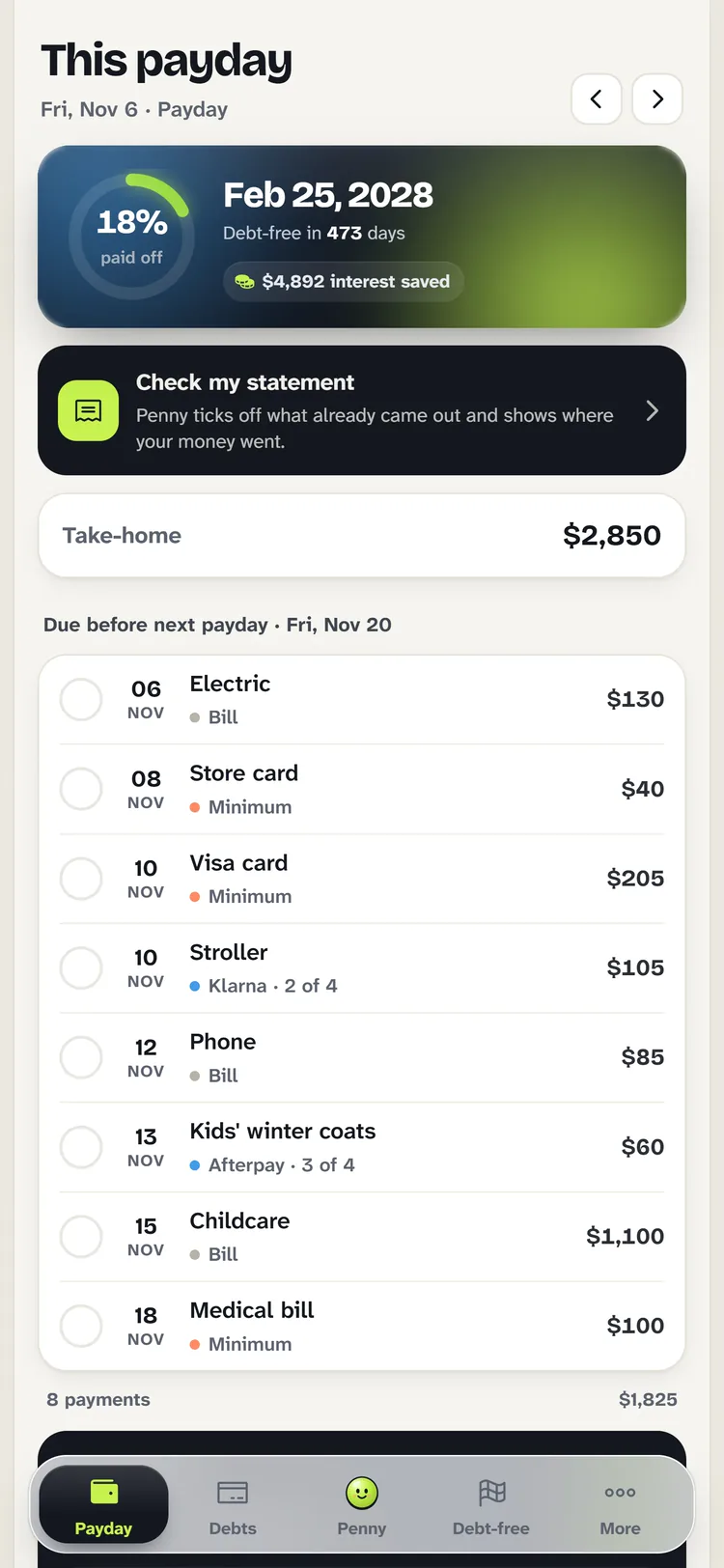
Every payday ahead, already decided.
No more doing the math at the kitchen table. Each paycheck knows what it has to cover before the next one, so nothing sneaks up on you.
Meet Penny.
She knows exactly what you can spend.
Ask her anything about your money in plain words. She answers from your own numbers, right on your phone, in about a second.
Can I afford $120 for a school trip?
What can I spend this payday?
Eight taps, and she knows you.
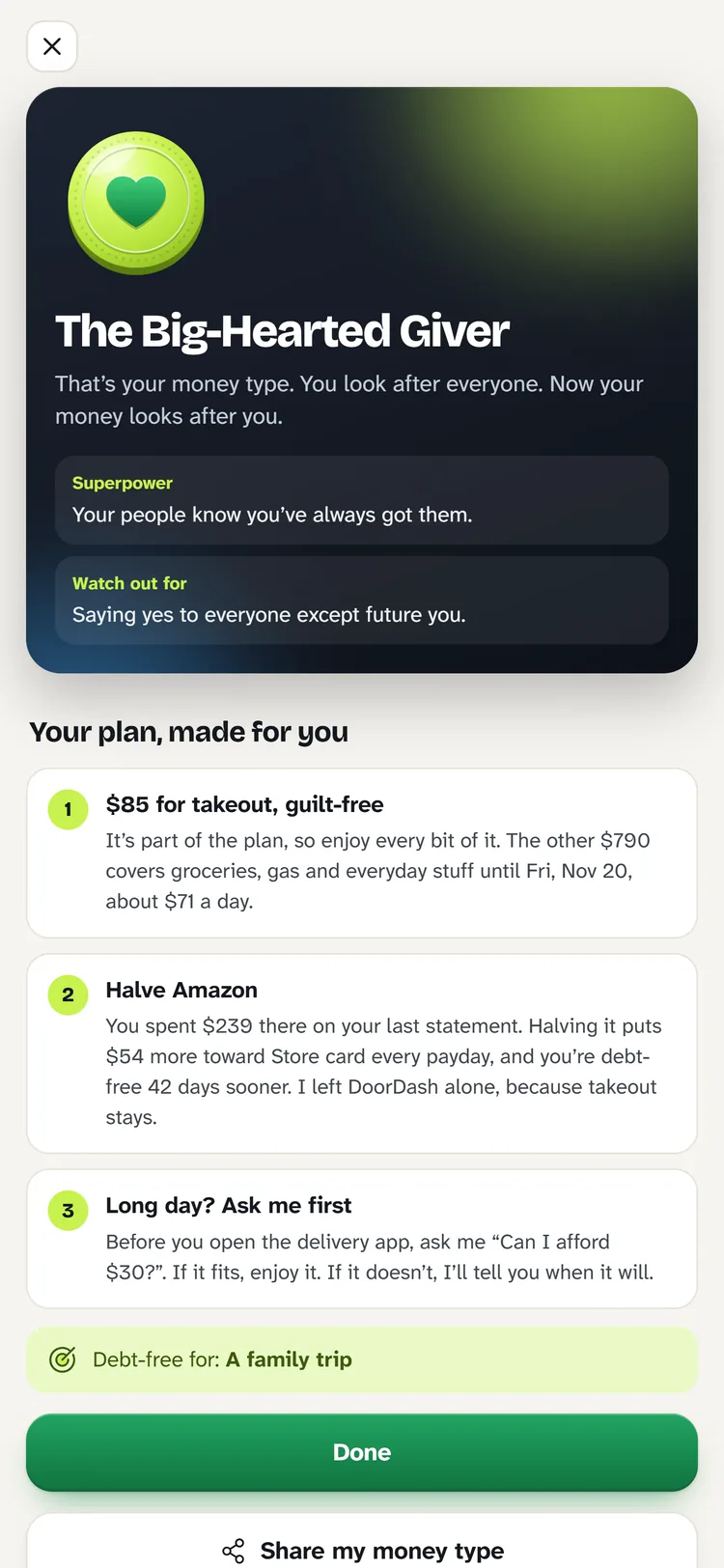
Your money type sets how Penny talks to you, what she protects and what she trims. She never tells you to cut the thing you said you won’t give up.
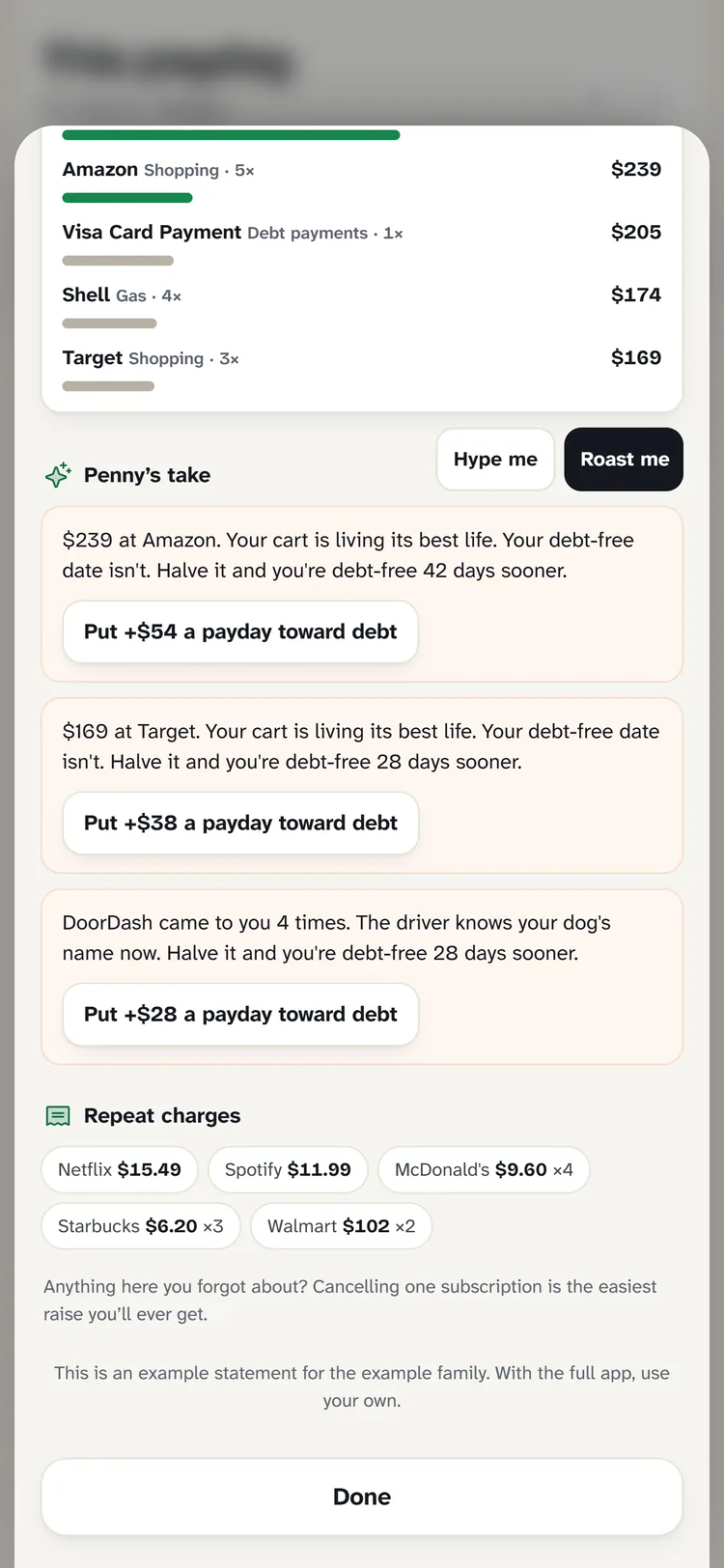
Send her your statement.
She ticks off the bills that already came out, flags any that didn’t, and shows exactly where the rest went. Pick Hype me or, if you’re brave, Roast me.
Everything payday needs.
Works offline. No bank login. Dark mode. Reminders in your calendar. One code covers three devices.
We left out the parts that cost you.
A typical money app
- Subscription
$10–15 a month - Bank login
Usually required - Plans by
The calendar month - Klarna & Afterpay
You track them - Your numbers
On their servers
Payday Payoff
- Price$12, once
- Bank loginNever
- Plans byYour paycheck
- Klarna & AfterpayBuilt in
- Your numbersStay on your phone
Twelve dollars. Once.
About what a typical budgeting app charges for one month, except you pay it once. Less than a single late fee. Yours to keep, with every update.
Secure checkout by Payhip, with card or PayPal. Your unlock code arrives by email in about a minute. Not right for you? Full refund within 14 days.
Payday Payoff
- The full app$12.00
- Monthly fee$0.00
- Bank loginNone
- Penny, your money buddyIncluded
- Devices3
- UpdatesFree
Total$12.00
Questions parents ask first.
Is it a subscription?
No. You pay $12 once and the app is yours, with every update included. Nothing renews and nothing to cancel.
Do I have to connect my bank?
Never. You type in your own numbers (or one sentence, and Penny sorts it). There’s no bank login and no password anywhere.
Where do my numbers go?
Nowhere. Your plan lives on your phone. We keep only your email, so we can resend your code. Read the privacy page for the details.
I’m not good with money. Is it for me?
That’s exactly who it’s for. It tells you what to pay each payday, in order, with big clear numbers. If you can tick a box, you can use it. Penny answers questions in plain words.
Does it handle Klarna, Afterpay and Affirm?
Yes. Add each plan once and every installment lands on the payday that has to cover it, so the “pay in 4” never sneaks up on you.
Will it work on my phone?
Yes, on iPhone and Android, and on a laptop too. It opens in your browser and installs to your home screen like an app, and it works offline.
Can my partner use it too?
Your code works on up to three devices: your phone, your partner’s and a laptop.
How do I get it after I pay?
Payhip emails your unlock code straight away. Open the app, enter the code with your email, and set up your first payday in a few minutes.
What if it’s not for me?
Tell us within 14 days and you get every cent back. See refunds.
Is this financial advice?
No. Payday Payoff is a planning calculator: it organises the numbers you give it and shows estimates. For serious money trouble, a nonprofit credit counselor can help. See the full note.
Still wondering? The help center walks through everything, step by step.
Payday’s coming either way.
Make the next one the first with a plan.